1. Project Overview
The client is a Canadian construction company selling and delivering long-cycle garage and construction projects: from first lead and estimate to permits, demolition, construction, invoices, final meeting and warranty documents
Odoo had already been selected as the target system, but the real operations were still spread across Asana, Google Drive, Google Sheets, Gmail, telephony, website forms and manual spreadsheets. The task was to bring that workflow into one controlled system without heavy custom development and without moving to a separate server
My role was integration architect and hands-on implementer: understand the current processes, design the Odoo 19 Enterprise architecture, migrate operational history, preserve team context and launch a practical baseline system quickly
2. What The Client Had
•CRM was fragmented across channels: leads came from ads, website forms, phone calls, email and Asana, but did not land in one clean pipeline
•Asana had become the operating system: sales, active construction projects, tasks, comments, deadlines, attachments and stages lived outside Odoo
•Google Drive held critical context: drawings, work orders, invoices, dashboards, spreadsheets and client folders were used daily, but were not natively connected to Odoo records
•Construction projects had long operational cycles: each project moved through 10-15 stages, so the team needed clear stages, deadlines, dependencies and Gantt planning
•Estimates lived in Excel/Sheets: prices, packages, concrete pads, insulation, drywall, optional items and GST needed to move into the sales workflow
•Platform constraints mattered: the client chose to stay on Odoo Online, so integrations had to be designed carefully without Odoo.sh and without a server bridge unless explicitly approved
3. Scope
•Configure Odoo 19 Enterprise as the central system for CRM, Sales, Projects, Documents and Gantt
•Move the sales pipeline from Asana into Odoo CRM without losing stages, history or source context
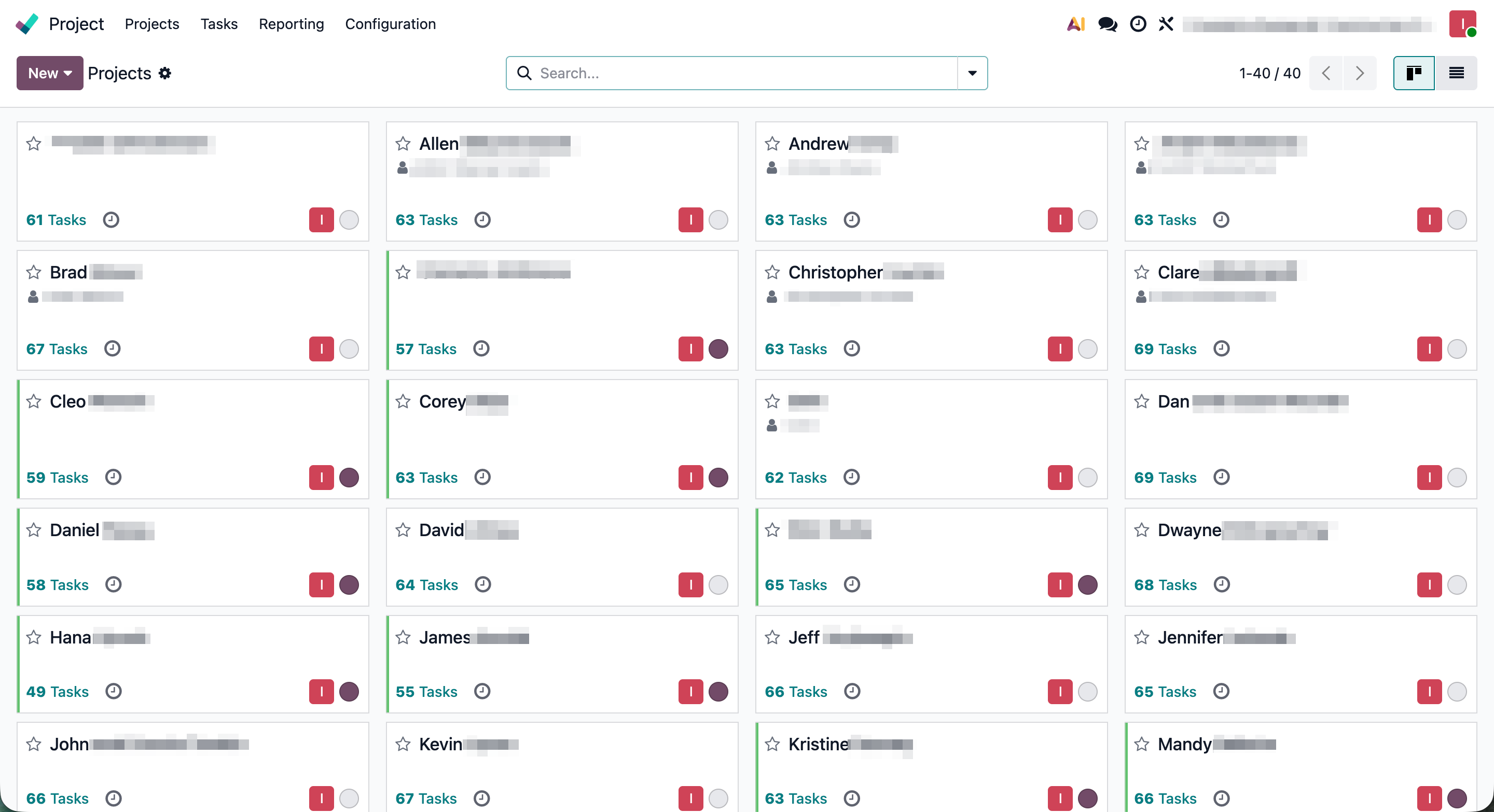
•Synchronize active construction projects, tasks, deadlines and stage architecture from Asana into Odoo Projects
•Migrate comments, authorship, attachments and historical context from Asana into Odoo chatter
•Recreate the Google Drive document structure in Odoo Documents and link key files to projects and tasks
•Move selected spreadsheet workflows into Odoo Documents / live spreadsheets where it made practical sense
•Configure baseline lead intake from website forms, CallRail, RingCentral, Gmail and Odoo CRM
•Launch a sales-to-project flow where a signed deal creates an operational project
4. Solution
System Setup & CRM Architecture
•Audited the Odoo 19 Enterprise setup, Asana workspace, Google Drive structure, active pipelines and spreadsheet workflows
•Built an XML-RPC integration bridge for controlled, repeatable migration work
•Added custom dedupe fields: `x_asana_gid` on `crm.lead` and `project.task`, plus dedicated ID fields for imported comments, attachments, CallRail and RingCentral events
•Cleaned and synchronized CRM stages with the real sales pipeline, while moving or removing rogue stages
•Made the import process incremental, so scripts could be rerun safely without duplicating records or overwriting live data
Asana to Odoo Project Migration
•Pulled 21 Asana boards and migrated 1,253 tasks into `project.task`
•Dynamically converted original Asana sections into `project.task.type`, keeping Odoo stages aligned with the team's language instead of a generic default setup
•Configured stage order per project for 7 active construction projects, because each project had its own operational flow
•Synchronized 30 unique project stages 1:1 with Asana and removed unnecessary default Odoo stages
•Normalized task dates and deadlines into a Gantt-ready structure, adding dependencies where possible
Comments, Attachments & Historical Context
•Migrated 497 Asana comments into Odoo chatter while preserving authorship, creation date and readable HTML bodies
•Downloaded 437 physical attachments and linked them to the right task threads through `ir.attachment`
•Added fallback logic for deleted or unavailable Asana users so historical conversations would not collapse into anonymous system notes
•Implemented HTTP 429 exponential backoff to work around Odoo/Asana rate limits without data loss or manual babysitting
Documents, Drive & Construction Files
•Recreated the Google Drive hierarchy inside Odoo Documents: project folders, work orders, drawings, invoices, dashboards and coordination materials
•Linked imported files to the actual projects and tasks, so documents were available in the operational context where the team needed them
•Tested conversion of selected Excel/Sheets files into live spreadsheets, keeping tabular workflows only where they were genuinely useful
•Built matching logic for drawings, estimates and financial documents so they could be attached to the right construction records
Lead Intake, Calls & Website Forms
•Verified and connected CallRail API to Odoo: calls create new CRM leads or enrich existing leads by phone number
•Integrated RingCentral call logs as a baseline CRM intake layer with call ID dedupe
•Connected Contact Form 7 website forms to Odoo CRM through an email alias, so site requests create leads immediately
•Configured and tested Gmail OAuth for key mailboxes, with outbound email working through the company sender
•Left historical email backfill and deeper phone-event timeline for a future upgrade because of Odoo Online constraints and client scope decisions
Sales, Estimates & Project Automation
•Prepared products/services for the estimate flow: garage package, concrete pad, insulation, drywall, permits and optional items
•Configured tax logic for Alberta GST 5%, with no PST
•Designed a quotation flow where managers build commercial offers from operational items instead of copying data between spreadsheets
•Added an automated action: when a deal reaches signed/confirmed state, Odoo creates a project and moves the sale into execution
5. Outcome
•One Odoo system for CRM, Sales, Projects, Documents, Gantt and baseline communication intake
•21 Asana boards, 1,253 tasks, 497 comments and 437 attachments migrated into Odoo without breaking historical context
•Sales pipeline, active projects and construction stages no longer live separately in Asana
•The team received a project workflow with real construction stages, deadlines, dependencies and Gantt visibility
•Google Drive documents became available inside Odoo where the work actually happens: tasks, projects and operational records
•Calls, website forms and email intake received a baseline path into CRM without manual copying
•The architecture stayed compatible with Odoo Online, without unnecessary custom code or forced platform migration
6. Technical Result
This case was about disciplined integration, not building a large custom module. The real challenge was not simply importing data, but preserving structure, authorship, history, dependencies and the daily logic of a construction team
Odoo became more than another tool next to Asana and Drive. It became the operating place where sales turn into projects, projects hold documents and tasks, and new requests from the website and telephony flow straight into CRM